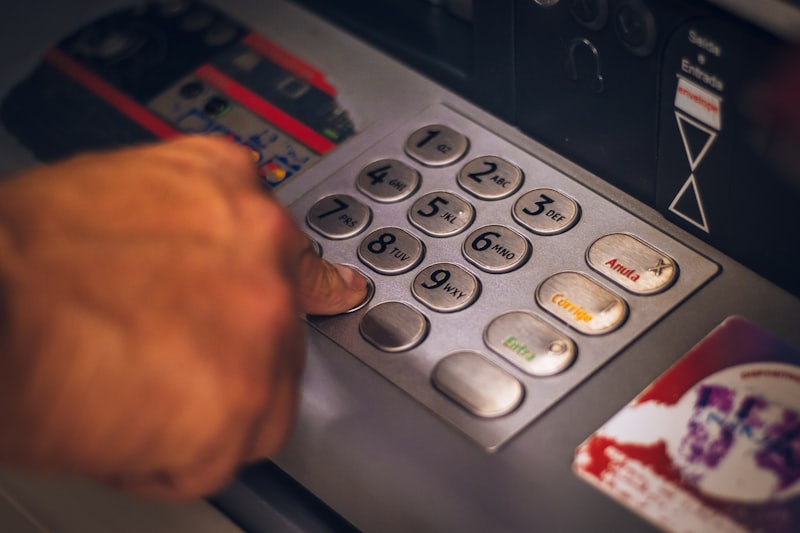
Safaricom Services for Kenyans Abroad: M-Pesa Global, Roaming, and Account Management
Staying Connected to Kenya's Most Important Network
Safaricom is not just a telecommunications company — it is the backbone of Kenya's digital economy. For Kenyans in the diaspora, maintaining a Safaricom line and M-Pesa account is practically essential for managing affairs back home. From paying bills and sending money to family, to transacting on government portals that require M-Pesa, to staying connected with contacts in Kenya, Safaricom services touch almost every aspect of diaspora life connected to Kenya.
This guide covers how to manage your Safaricom line from abroad, the M-Pesa services available to diaspora users, and practical tips for maintaining connectivity across continents.
Keeping Your Safaricom Line Active
Safaricom lines become inactive after a period of non-use — typically 90 days without any airtime purchase, call, SMS, or data activity. An inactive line enters a grace period during which it can be reactivated, but if left dormant too long, the number is eventually recycled and reassigned to a new subscriber. Losing your Safaricom number means losing access to M-Pesa, losing the number linked to your eCitizen account, bank accounts, and other services.
To prevent this, make a small transaction on your line at least once every 60 to 90 days. Buying even KES 10 of airtime through the MySafaricom app or online portal resets the activity clock. Set a recurring reminder to top up your Kenyan line regularly.
If you are abroad and your line has become inactive, you may be able to reactivate it by contacting Safaricom customer service. For lines that have been inactive for a shorter period, reactivation is usually straightforward. For longer periods of inactivity, the number may have been recycled, in which case you will need a new SIM card and number — which means updating all linked services.
M-Pesa for Diaspora Users
M-Pesa remains the most versatile financial tool for managing Kenya-related transactions. Even from abroad, your M-Pesa account allows you to receive money from international remittance services directly, send money to family and contacts in Kenya, pay bills including utilities, school fees, and insurance premiums, transact on government portals like eCitizen and KRA, and make payments for services and subscriptions.
M-Pesa Global partnerships with international money transfer operators enable direct transfers from platforms like WorldRemit, Remitly, and others to your M-Pesa or directly to someone else's M-Pesa. These partnerships have made M-Pesa the preferred remittance endpoint for most Kenyans abroad.
The M-Pesa app (available on both iOS and Android) allows you to manage your account from anywhere with internet access. You can check your balance, view transaction history, initiate transfers, and pay bills without needing to access the SIM-based USSD menu. This is particularly useful if your Kenyan SIM card is in a secondary phone or if you use an eSIM.
MySafaricom App and Online Services
The MySafaricom app provides comprehensive account management from abroad. Through the app, you can buy airtime and data bundles for yourself or others, check and manage your postpaid account, access M-Pesa services, subscribe to or cancel value-added services, and contact customer support.
Safaricom's online portal at safaricom.co.ke also provides account management capabilities. For complex issues that cannot be resolved through the app or portal, Safaricom's customer service can be reached via their social media channels (Twitter/X, Facebook) which tend to be more responsive than the call centre when dialling from international numbers.
International Roaming
If you travel to Kenya with your foreign SIM but want to use your Safaricom line temporarily, Safaricom's roaming service allows you to use your Kenyan number in select countries. However, roaming charges are expensive and are generally not practical for extended use abroad. The more practical approach is maintaining your Kenyan number active for M-Pesa and using your local number in your country of residence for daily communication.
Tips for Managing Multiple Lines
Most diaspora Kenyans end up managing at least two phone lines — their local number in the country of residence and their Safaricom number for Kenya-related services. A dual-SIM phone simplifies this. Alternatively, some diaspora Kenyans use a dedicated old phone for their Safaricom SIM, keeping it on WiFi for app-based services.
If you use WhatsApp on your Safaricom number, be aware that WhatsApp allows you to use the number on a different phone. This means you can keep your WhatsApp identity linked to your Kenyan number even if the SIM is not in the phone you use daily — as long as you can receive the verification SMS when needed.
How Huduma Global Assists With Safaricom Issues
Huduma Global helps with Safaricom-related administrative tasks that require physical presence in Kenya. Whether you need to replace a lost SIM card (which requires visiting a Safaricom shop with your ID), resolve account issues that cannot be handled remotely, or register a new line for a family member — the team handles the in-person aspects while you manage the digital side from abroad. In a country where M-Pesa is king, keeping your Safaricom services running smoothly is a priority for any diaspora Kenyan.
Useful Resources and References
For more information on topics covered in this article, visit these authoritative sources:
- Central Bank of Kenya – CBK official portal
- Safaricom – M-Pesa mobile money services
- CMA Kenya – Capital Markets Authority
- National Treasury – Ministry of Finance
Need help with any of these services? Huduma Global is your trusted diaspora concierge service in Kenya. Explore our services or contact us today.
More Articles

The Multiparty Era Reforms: Saba Saba, the Repeal of Section 2A and Kenya's Return to Political Pluralism
Jul 02, 2026
Eye Care in Kenya: Cataract, Trachoma and the Long Road to Universal Vision Health
Jul 02, 2026
Shaba National Reserve: Joy Adamson's Last Wilderness and Isiolo's Semi-Desert Safari Gem
Jul 02, 2026
The Rendille People of Northern Kenya: Camel Pastoralism, Clan Traditions and a Culture Under Pressure
Jul 02, 2026
Ukulima Sacco: From Ministry of Agriculture Staff Society to a National Cooperative Open to All Kenyans
Jul 02, 2026